Availability
Availability is the hours you are bookable, set per clinician under Schedule → Bookable hours. Exceptions handle the one-off days that differ.
Nothing can be booked online until somebody has availability. If your booking widget shows an empty calendar, this is almost always why.
The calendar
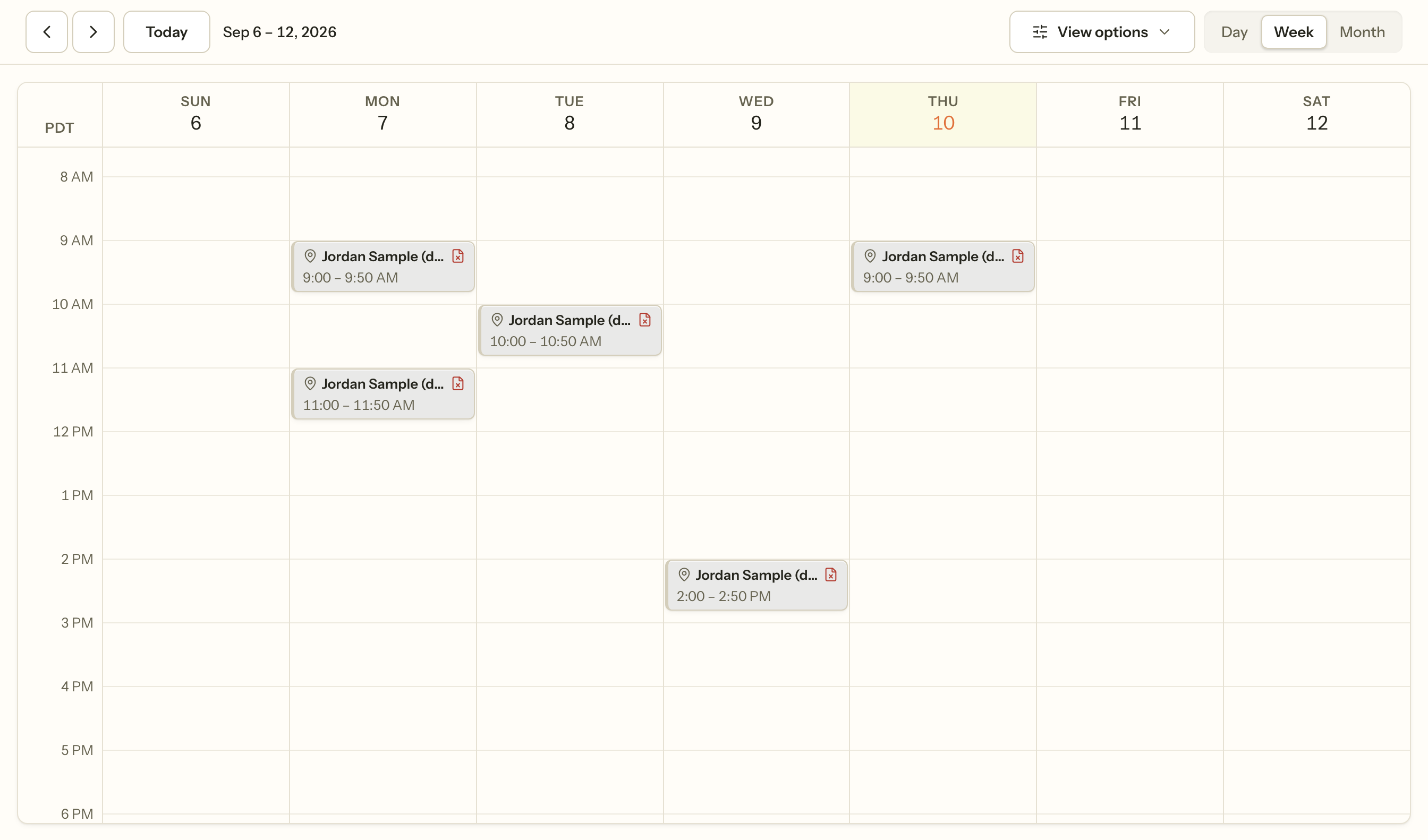
Day, week and month views. Appointments carry a client, a clinician, a service and a modality — in person, telehealth or phone.
Colour by recolours the diary by whatever you are trying to see: status, modality, clinician. It changes nothing about the appointments, only which distinction the colours are spending themselves on, so switch it to the question you have rather than leaving it on one setting.
Filters narrow which appointments are drawn at all. A calendar that looks emptier than your week actually is has a filter on.
In Day view each clinician gets their own column, so overlapping sessions across the team read as parallel rather than stacked. In Week and Month the practice shares one grid.
Drag an appointment to move it. That is a reschedule, and the note, charge and history move with it — see Cancelling and rescheduling.
Keyboard shortcuts. The calendar is the screen most people spend the day on, so changing view does not need the mouse:
| Key | Does |
|---|---|
D |
Day view |
W |
Week view |
M |
Month view |
T |
Jump to today |
G |
Go to a date — opens the calendar behind the date at the top |
C |
Start a new appointment |
You can also click the date at the top of the calendar to jump to any day, which is the same control G opens. Reaching a session three months out no longer means pressing the arrow twelve times.
Single letters, with no modifier — Cmd, Ctrl, Alt and Shift are left alone, so the browser's own shortcuts still work. They never fire while you are typing in a field, and never while a drawer or dialog is open, so searching for a client called Mia does not switch you to Month on the "m".
Appointment requests
A client or a prospective client can ask for a time rather than book it outright. Requests land in Schedule → Requests for somebody to accept or decline; nothing enters the diary until a person says yes.
They arrive three ways: from the client portal, from the booking widget on your website, and from Log a call on that same screen, for when somebody rings and asks. The first two are what the Accepting requests switch governs; logging a call is not, because a practice that has paused online requests still answers its phone.
A client can see the request they are waiting on from their portal, including when it lapses, and withdraw it if they no longer need it.
Archived requests stay on their own tab, so you can see what was asked for and what became of it.
The waitlist
When you cannot see somebody straight away, put them on the waitlist rather than leaving it in your head. The list records who is waiting, how long they have been waiting, and how urgent it is, so an opening can be offered to the right person rather than the most recent one.
Recurring series
An appointment can repeat. The pattern is set when the series is created and cannot be edited afterwards: changing one occurrence moves that occurrence and detaches it from the series, leaving the rest alone. To change the pattern, cancel the sessions still to come and book a new series.
Reminders
Reminders are governed by two switches, and both must be on: the practice has to have the reminder turned on, and the client has to have agreed to be contacted that way. One without the other sends nothing.
You also choose how much a reminder says. Contentless says only that something is scheduled. Time only adds when. Full adds who with. On a mental health record, the fact that somebody has an appointment at all is sensitive, so the default is deliberately the quiet one.
Telehealth
A telehealth appointment carries a join link, and the client reaches it from their portal rather than from an emailed link that outlives the session.
It also records where the client physically is at the time. That is not bureaucracy: it decides the place of service on the claim, and it decides whether you are licensed to be treating them at that moment. A client who takes a session from another state is a licensure question, and the record is what lets you answer it.
When it goes wrong
Nothing can be booked online. Nobody has bookable hours, everything inside the notice period is taken, or online booking is off for the practice. Setting your bookable hours shows which.
The calendar looks empty. A filter, or the wrong clinician selected. Clear the filters before assuming appointments are missing.
A request never arrived. Requests land in Schedule → Requests, not on the calendar and not in Inquiries — nothing enters the diary until somebody accepts it.
Reminders are not going out. Both switches must be on: the practice's reminder setting, and that client's consent to be contacted that way. One without the other sends nothing, silently, by design.
Changing one session changed the whole series. It did not — there is no prompt offering "this one or everything after", and no control that edits a live series. Changing an occurrence changes that one and detaches it. Past sessions are never rewritten.
An appointment sits outside somebody's bookable hours. That is allowed. Hours govern what clients can book themselves, not what you can book for them.
Related
- Booking an appointment — making one yourself
- Setting your bookable hours — what clients can book
- Cancelling and rescheduling — moving and cancelling
- Client portal — what a client sees and can do