The portal is where a client signs in to see their own information. It is a separate sign-in from staff — a client account is not a user account, and neither can be used to reach the other.
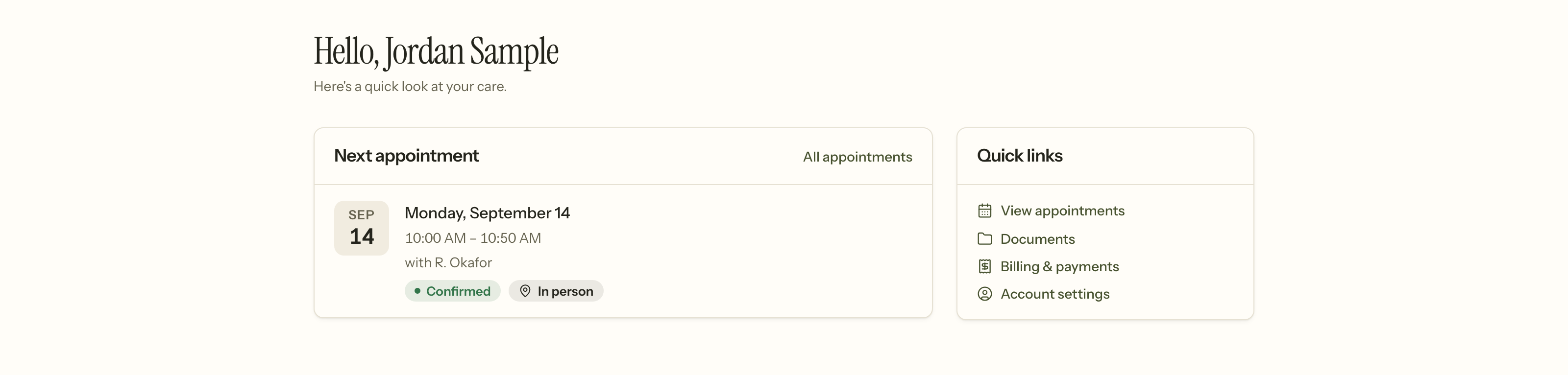
What a client does not get is a smaller copy of your software. There is no calendar to browse, no roster, no chart — just their own next session and the four things they might want to do.
What a client can see
- Their appointments, including requesting a time and, if your settings allow it, cancelling one. A request they are waiting on is shown with the day it lapses, and they can withdraw it rather than leaving you holding a slot nobody wants.
- Secure messages with their clinician.
- Documents you have shared, and paperwork they still owe.
- Questionnaires you have sent them, which score into the chart's outcome measures.
- Billing — invoices and statements, and what they owe.
- Their own details, and a way to tell you when one is wrong.
- Telehealth, joining a video session from the appointment itself.
Their Documents page is also where the client's own right to correct the record lives.
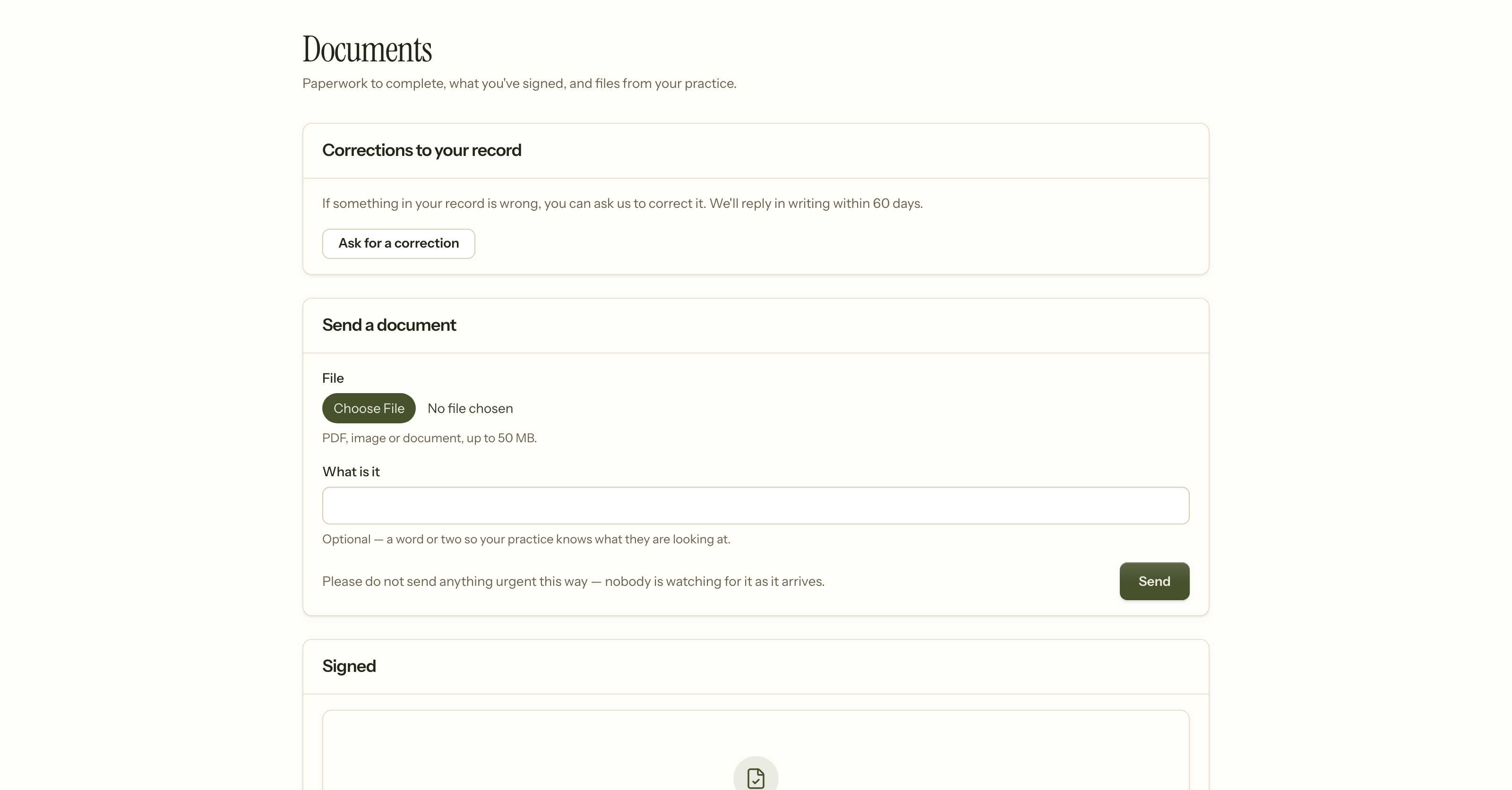
Ask for a correction is §164.526 — a client may ask you to amend their record, and you owe them a written decision within sixty days. It is on the portal rather than in an email so the request is recorded, dated, and impossible to lose.
The upload form says plainly that nobody is watching for what arrives. A client sending something urgent needs to know that before they send it, not after.
What a client can never see
The clinical chart, progress notes, and psychotherapy notes. The portal shows a client what is theirs to have, not the record kept about them — a records request is a different, deliberate process with its own authorisation.
Getting somebody in
Invite them from their chart: Invite to portal, in the chart's ⋯ menu. (The Client portal access row in Communication settings shows where they have got to — Active, Invited or Not enabled — but it is a status, not the control.) They receive an invitation and set their own password; you never see it and cannot set it for them.
An invited client who has not activated yet is in a distinct state from an active one, so "they never got the email" is a question you can answer rather than guess at.
Contacts
A contact — a parent, a partner — can be given their own portal access. It is separate from the client's, and it is granted per person rather than assumed from the relationship. A parent with access does not inherit everything the client can see.
Telehealth
A telehealth session is joined from the portal rather than from a link in an email. A link sent by email outlives the session and can be forwarded; reaching it through a sign-in means the person joining has authenticated.
Turning it on
Settings → Client portal. Two things are worth checking at the same time:
- If online booking requests are on but nobody has availability, a client sees an empty calendar and no explanation. The settings page warns you when that is the case.
- Messaging has its own away setting per clinician, so somebody on leave can say so rather than appearing to ignore a message.
When it goes wrong
They never got the invitation. Check the email on the record first — the invite goes where you sent it. You can re-invite from the chart.
They cannot sign in. A client whose account was invited but never activated has no password yet; they need the invitation link, not the password reset. The two states look similar and the fix is different.
They see an empty booking calendar. Nobody has bookable hours, or everything inside the notice period is taken. See Setting your bookable hours.
They cancelled and you were not told. Check whether portal cancellation is on, and check the appointment — a client cancellation still records who cancelled, which is what decides whether it is billable.
They say a message was ignored. Check the clinician's away setting. A clinician on leave can say so; one who has not set it looks identical to one who is not reading.
They are asking to see their notes. The portal will not show them, and that is deliberate. A request for the record is a records request — it has its own authorisation, and psychotherapy notes are excluded from it entirely.
Related
- Clients — the chart the portal draws from
- Scheduling — requests, reminders, and telehealth
- Taking a payment — what a client owes, and how it got there