You can reach everything, so this page is not a tour of the product — the other three role guides already are. It is the list of things only you can do, in the order a practice actually needs them.
If you also see clients, For clinicians is your day. This is the practice around it.
1. Who works here
Team is the roster and the access list in one screen. Adding somebody sends them a sign-in link; Insight Notes never sets a password on anyone's behalf, so a login only ever exists because the person made one.
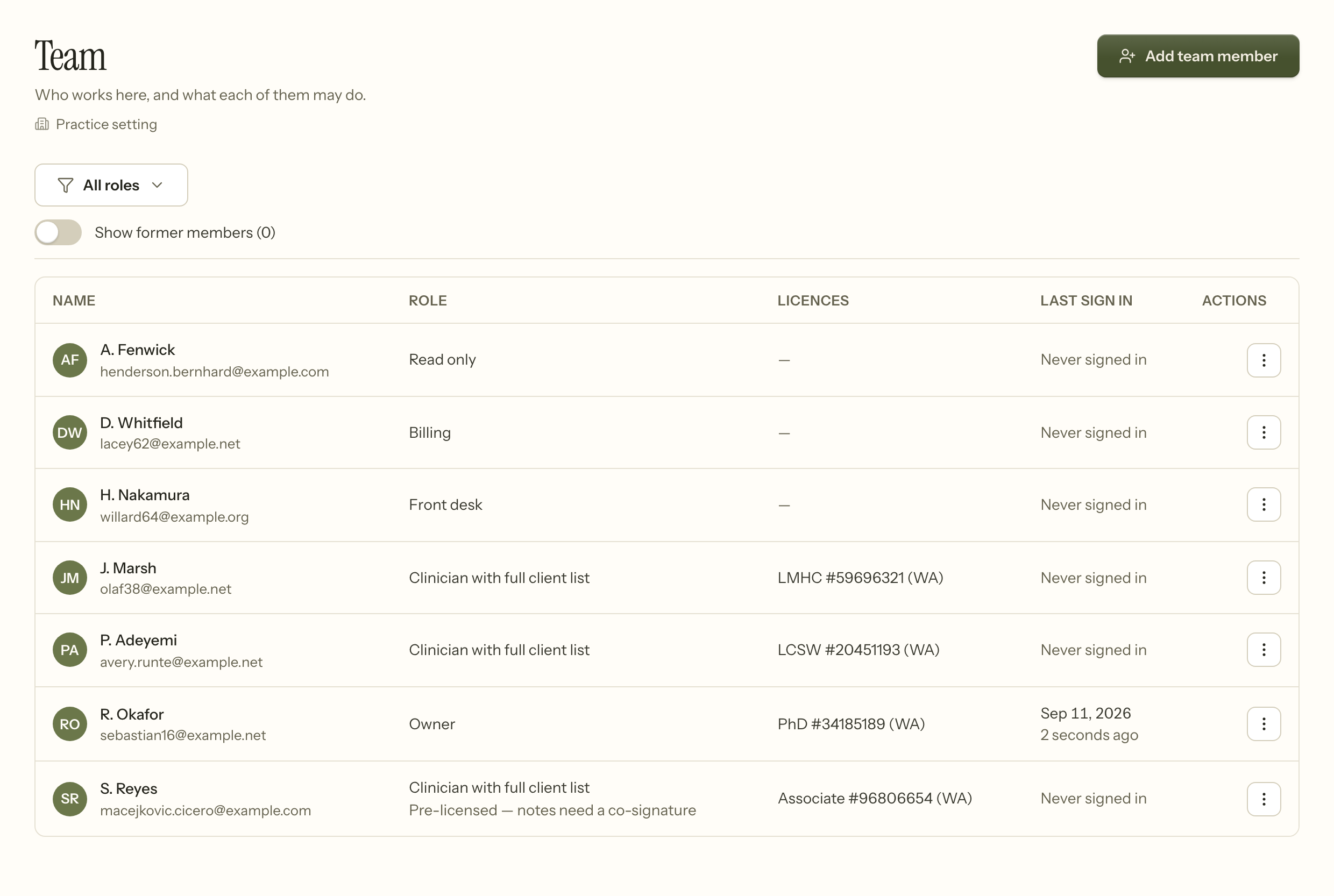
Two columns here are not decoration.
Licences shows what each clinician holds and warns before one lapses. A licence that expired last month is a claim you are about to bill under a credential that no longer exists.
Last sign in is dormant-account detection. Somebody who left three months ago and still has a working account is a textbook access-control failure, and this is what makes it visible without going near the audit log.
Nobody is deleted. Turning off access keeps the record: six years of audit rows and every note they signed still point at that account, and a signature that leads nowhere is not a signature.
2. Who supervises whom
Mark a clinician pre-licensed and their notes need a co-signature. The screen says so under their name, so the rule is visible on the roster rather than buried in a setting.
Supervision is time-bounded on purpose. A note goes to the supervisor of record for the date of the session, not to whoever supervises that person today, so a handover in June does not silently reassign responsibility for March's work.
3. What you charge for
Settings › Services is where a session becomes a number. Each service carries its code and its rate, and everything downstream — the fee on an appointment, the line on an invoice, the charge on a claim — reads from here.
Products are the things you sell that are not sessions. They are modelled separately for one reason: a product can never reach a claim. Asking an insurer to reimburse a workbook is a different kind of mistake from getting a rate wrong.
4. What clients can see
Settings › Client portal decides what the portal offers: documents, appointment requests, measures, messages, announcements.
Settings › Calendar holds the cancellation policy — the notice you ask for, which is what makes a cancellation late or timely everywhere else in the product. Change it here and the portal, the reminders and the front desk all follow. There is nowhere else to set it, deliberately.
5. Paying people
Billing › Pay periods turns a stretch of the calendar into what each clinician earned.
Closing a period writes those figures down once. They are not recomputed afterwards — not when a late insurance payment lands against a session from two months ago, and not when a split is renegotiated. The share that applied at the time is copied onto the record, so a rate change in October cannot restate what somebody was paid in August. Reopening a closed period is its own deliberate act.
6. The trail
Account activity is the record of who did what, kept for six years.
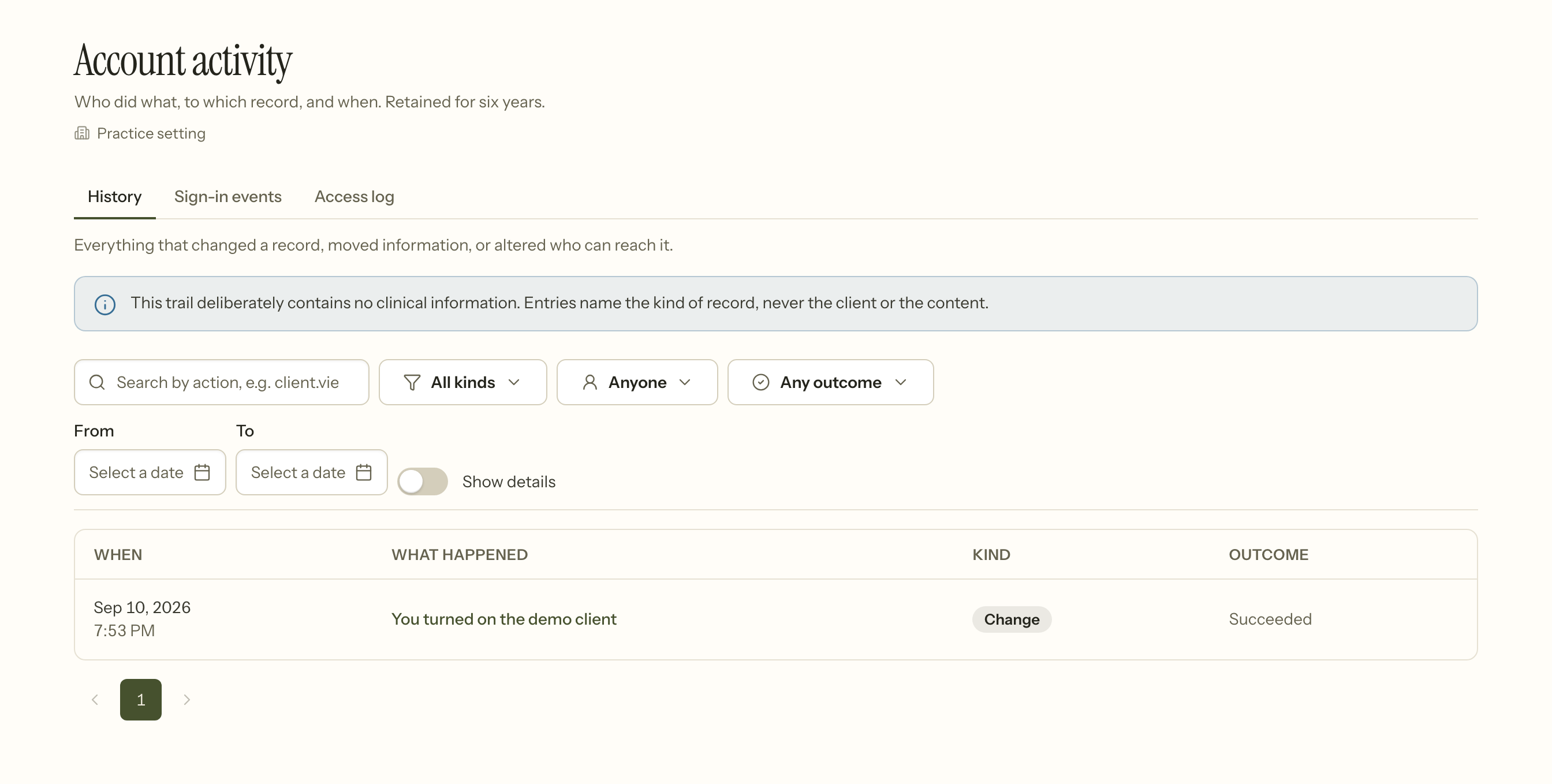
Three tabs, three different questions:
- History — what changed a record, moved information, or altered who can reach it.
- Sign-in events — sign-ins, sign-outs and failed attempts, for staff and for portal accounts.
- Access log — every read of protected health information. Under HIPAA, viewing a chart is an event in its own right, so reading leaves a trace here even though it changed nothing.
They are separated rather than merged because reads outnumber writes by an order of magnitude. One combined stream satisfies the regulation and defeats the review: a wall of "viewed" rows with the occasional real change buried in it.
The trail contains no clinical information. An entry names the kind of record and never the client or the content. That is not an oversight to be fixed later: an audit log that quotes notes is a second, unprotected copy of the chart, readable by everyone entitled to audit and by nobody entitled to the record.
7. The numbers
Analytics and Reports are the practice seen from above — sessions, income, no-shows, outstanding balances, aging.
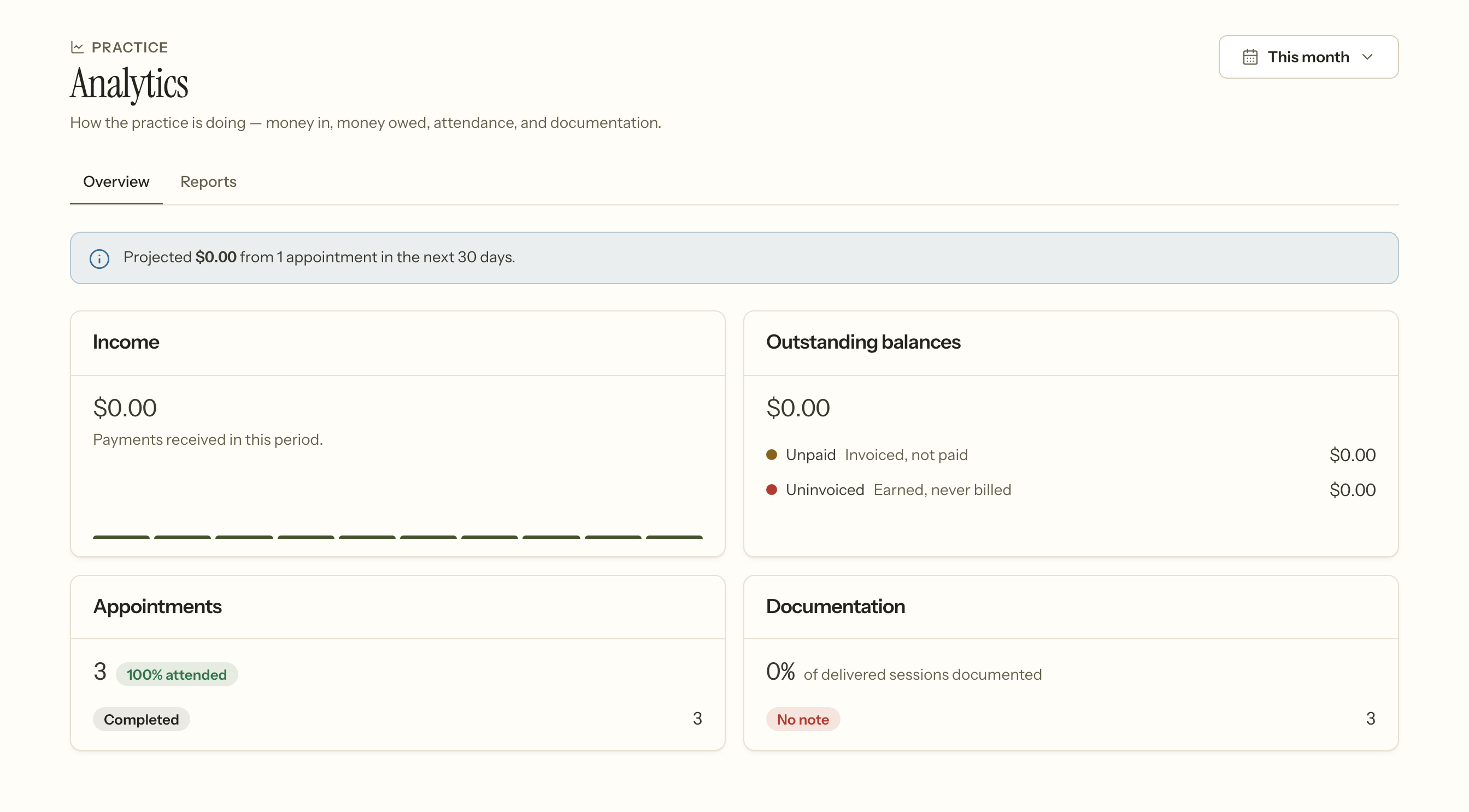
Ask is the same data asked in a sentence rather than through a filter.
8. Getting a practice going
Settings › Demo client gives you somebody to explore with: a full chart, sessions, a note, a balance. They are refused everywhere a real client has consequences — no claim, no export, no dashboard figure — so nothing you do to them can leak into your real numbers.
Settings › Import clients and Import appointments bring an existing practice across.
9. What even you cannot do
- Read anybody's psychotherapy notes. Not a permission you have not been granted — nobody has it. Those notes belong to their author.
- Edit a signed note. Correction is an addendum, by anybody, including you.
- Delete a team member. Access is turned off; the record stays.
- Change what the audit log says. It is append-only.
These are the four places the product refuses its own owner, and each one exists because the alternative would make a record you could no longer stand behind.