This role exists for people whose job is to see what happened, not to take part in it: an auditor, an outside reviewer, a supervisor brought in to read the record.
It is unusual in one way worth understanding before you start. Every other role is a smaller set of rooms. This one is close to the owner's rooms, with the door to every change closed.
What you can reach
The calendar, every client's chart, progress notes, the audit trail, reports, Ask — and, since September 2026, billing, insurance, analytics and inquiries.
That is deliberate rather than generous. An auditor who can only see part of a record cannot audit it, and a reviewer handed a shortened list of areas will simply ask for a bigger role — which is how a read-only review turns into somebody holding write access they never needed. The money is part of the record: a review that has the chart and not the claim cannot tell whether what was billed matches what was delivered.
Two areas stay closed: the fax lines and the team list. Faxing is sending, which this role does not do in any form, and the received tray is a queue of work rather than a record. The team list is where roles are granted, and a reviewer who can see how access is configured is a step from asking for more of it.
What stops you is the ability, not the map
Inside the areas you can open, you will not find greyed-out panels or half-disabled forms. You will find that nothing offers to change anything: no Save, no New, no Edit, no Delete. The interface stops proposing work you cannot do, which is a different thing from hiding where the work happens.
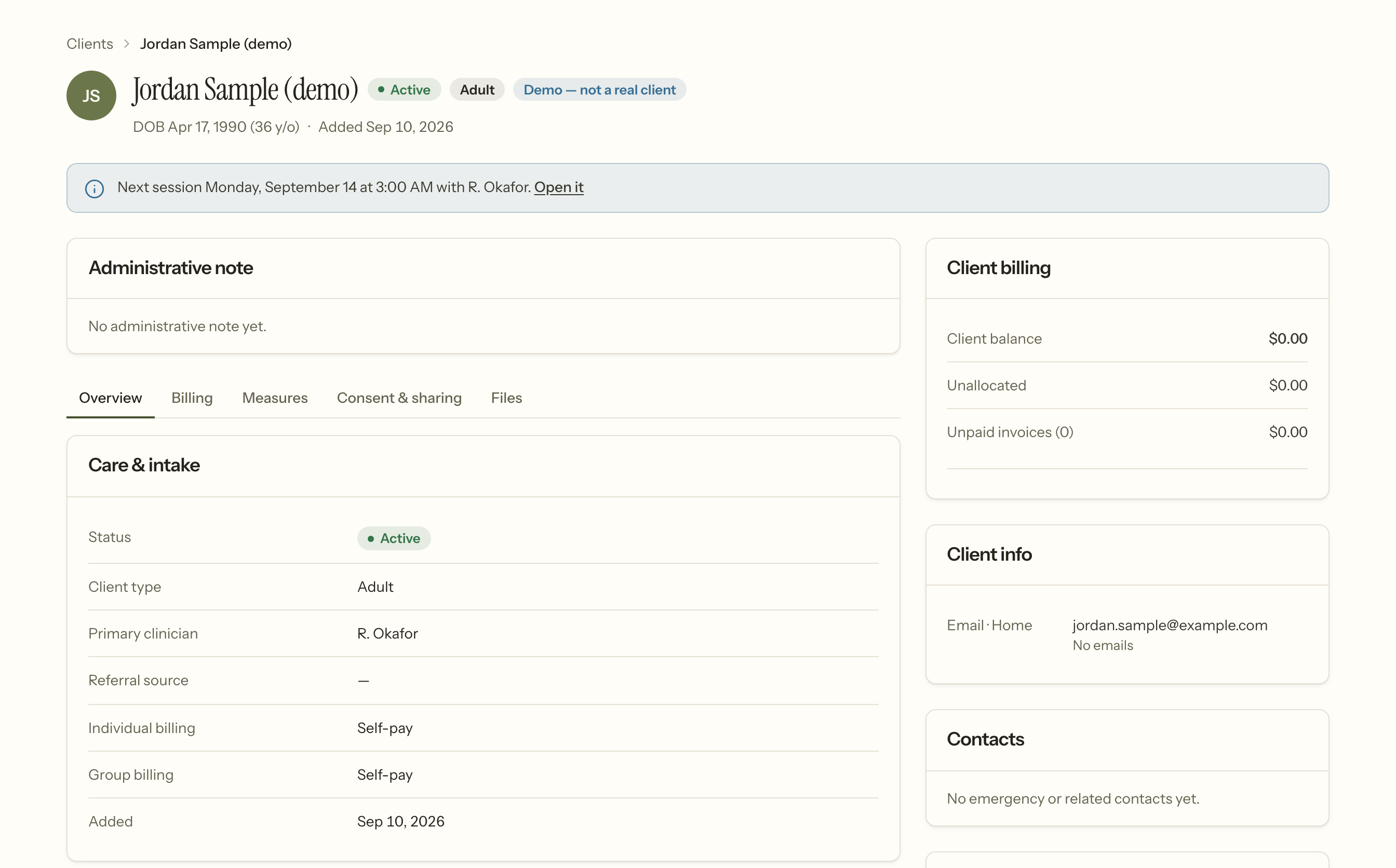
That is the same chart another role sees, with the same information on it. What is missing is only ever a button.
Behind that, the refusal is absolute rather than screen-by-screen. Anything that is not a read is denied before any individual rule is consulted — so an ability added to this product next year is denied to you by default rather than granted by an oversight nobody notices for a year.
What you can do
- Open any chart — details, diagnoses, treatment plan, documents, measures, balance.
- Read progress notes.
- See the whole calendar, every clinician, every session.
- Read the audit trail. This is the point of the role; For practice owners explains the three views.
- Run any report. A report is a fixed query over records you can already open, so refusing one would hide a summary of data sitting in front of you.
- See the money. Invoices, statements, payments, claims and what each payer allowed, alongside the chart they came from.
What you cannot do
- Change anything at all. Not a note, not an appointment, not a setting, not a tag.
- Export anything. Not a report, not a client record, not the payments CSV. Running one and taking a copy away are different acts. The first is looking; the second creates a file of protected health information outside the system, and that needs somebody accountable for where it goes.
- Read anybody's psychotherapy notes. Nobody can — not the owner, and not a reviewer. A read-only role is a wider audience, not a privileged one, so it does not unlock the one part of the record that is closed to everybody.
If you are the one granting this role
Two things are worth saying plainly to whoever you are giving it to.
It is not a safe way to share an account. It is a real account, it appears in the team list, and everything it reads appears in the access log under that person's name. That is a feature for an audit and a liability if two people share the login.
It sees clinical content. Read-only is not de-identified and it is not a limited data set. The person holding it can open any chart in the practice, so the same question applies as for any other role: is this individual entitled to that under your minimum-necessary policy, and — if they are outside your organisation — do you have the business associate agreement to match?