Insight is a practice management system for mental health practices. This page is the order things are worth doing in, not a tour of every screen.
The product keeps its own version of this list. Get Started, from the header, is the same order with a tick beside each thing as you finish it.
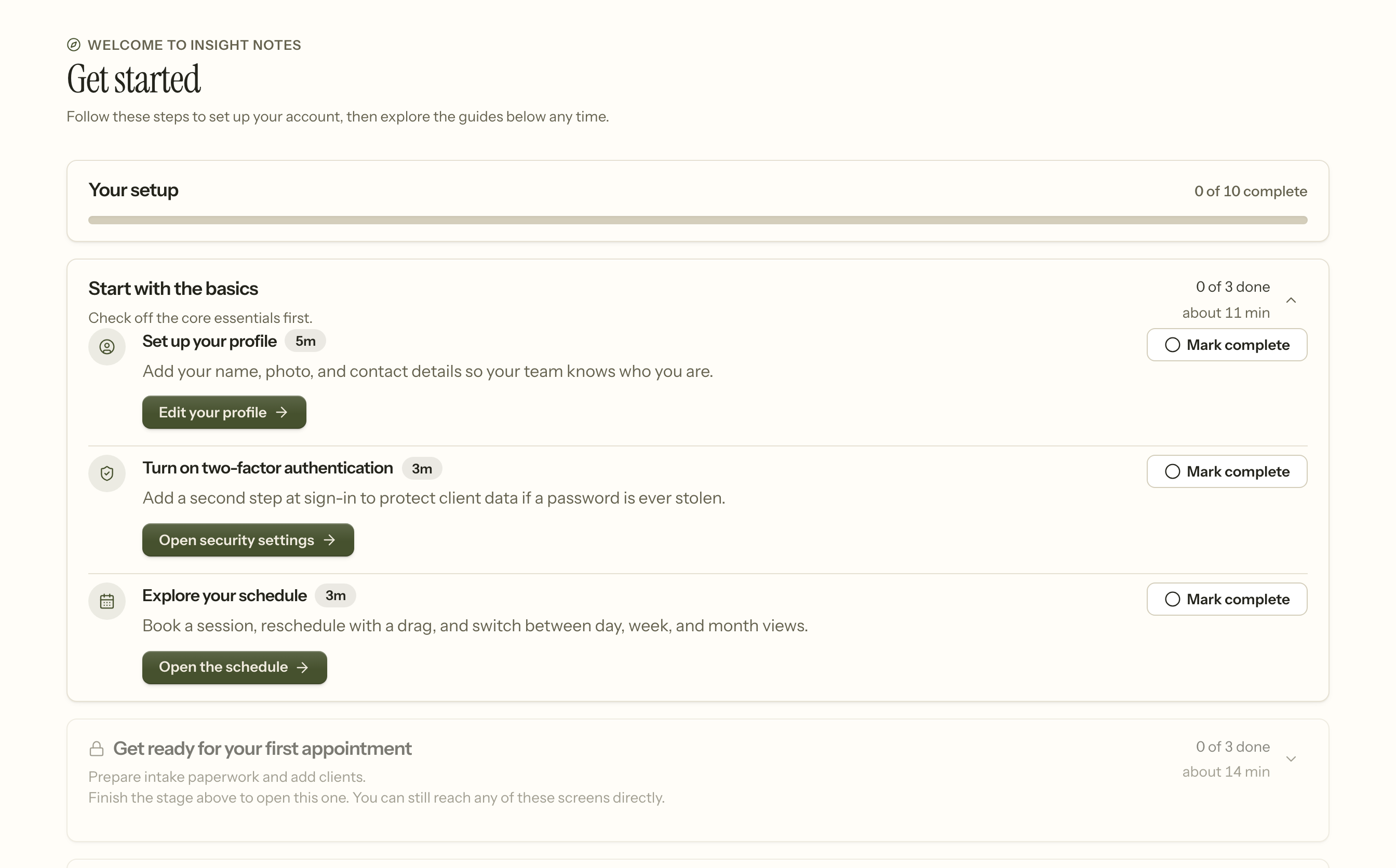
Later stages stay closed until the one above them is done. That is about where your attention goes rather than about permission: every screen a step points at is reachable directly, at any time, whether or not you have ticked anything.
Set the practice up first
Everything else reads from these, so a few minutes here saves undoing work later.
- Practice details — name, address, timezone. The timezone matters more than it looks: it decides what "9am" means on every appointment, and changing it later moves your diary.
- Services — what you bill for, how long each takes, and the fee. Claims and invoices both read from this list, so a service missing here is a session you cannot bill for.
- Availability — the hours you are bookable. Online requests are refused outright if nobody has any, which is the most common reason a booking widget appears broken.
Then your team
Add colleagues under Team. Two settings do most of the work:
- Role — Owner, Clinician, Front desk, Billing, or Read only. This decides which areas somebody can enter at all. Roles and permissions sets out exactly what each one reaches; that page is generated from the application, so it cannot drift from what the code does.
- Which clients can they work with? — asked for clinicians only: their own caseload, or the whole practice. A practice with eight clinicians can say that seven of them do not need to read each other's charts, and this is where you say it.
If you pay associates a share of what they collect, set their income share here too. Leave it blank for anyone who is not on a split — blank means "not on payroll", which is different from a share of zero.
Then your clients
Either add them one at a time, or bring them across from your previous system — see Importing your data.
Turn on two-factor authentication
Optional, and worth the two minutes. Your account reaches patient records, and two-factor is what makes a stolen password insufficient on its own.
Do it before the practice fills up rather than after, and encourage your colleagues to do the same — see Account security.
What you can safely leave
The client portal, insurance billing, and the API can all be turned on later without redoing anything above. None of them change how the chart works.
When it goes wrong
Appointments are at the wrong time. The practice timezone was set after the diary was built. It decides what "9am" means, so changing it moves existing appointments. Fix the timezone first, then check the diary rather than the other way round.
A session cannot be billed. Its service is not in the services list, or has no fee. Claims and invoices both read from that list.
Online booking shows nothing. Nobody has bookable hours, or everything within the notice period is taken. Setting your bookable hours explains how to tell which.
A colleague cannot see a client. Their access scope is their own caseload, and that client is on somebody else's. That is the setting working; change it under Team if it is wrong.
Somebody was not paid. An income share left blank means "not on payroll", which is deliberately different from a share of zero. Set the share under Team.
Related
- Account security — two-factor, recovery codes, passwords
- Adding a client — the first record you will create
- Importing your data — bringing a practice across
- Setting your bookable hours — what clients can book