Work through this in order and you will have done everything a clinical role does here. Each step links to the fuller article if you want the detail; you should not need any of them to get through your first week.
What you can reach
Your dashboard, your schedule, your clients, inquiries, notes, messages and tasks.
You will not see billing, claims or practice settings unless your practice has given you a wider scope. That is not a limitation to work around — it is the product keeping the minimum-necessary rule for you. Roles and permissions has the full picture.
1. Your week
Schedule is the first thing to open. Sessions show the client and the time, and anything that still owes the chart a note carries a marker.
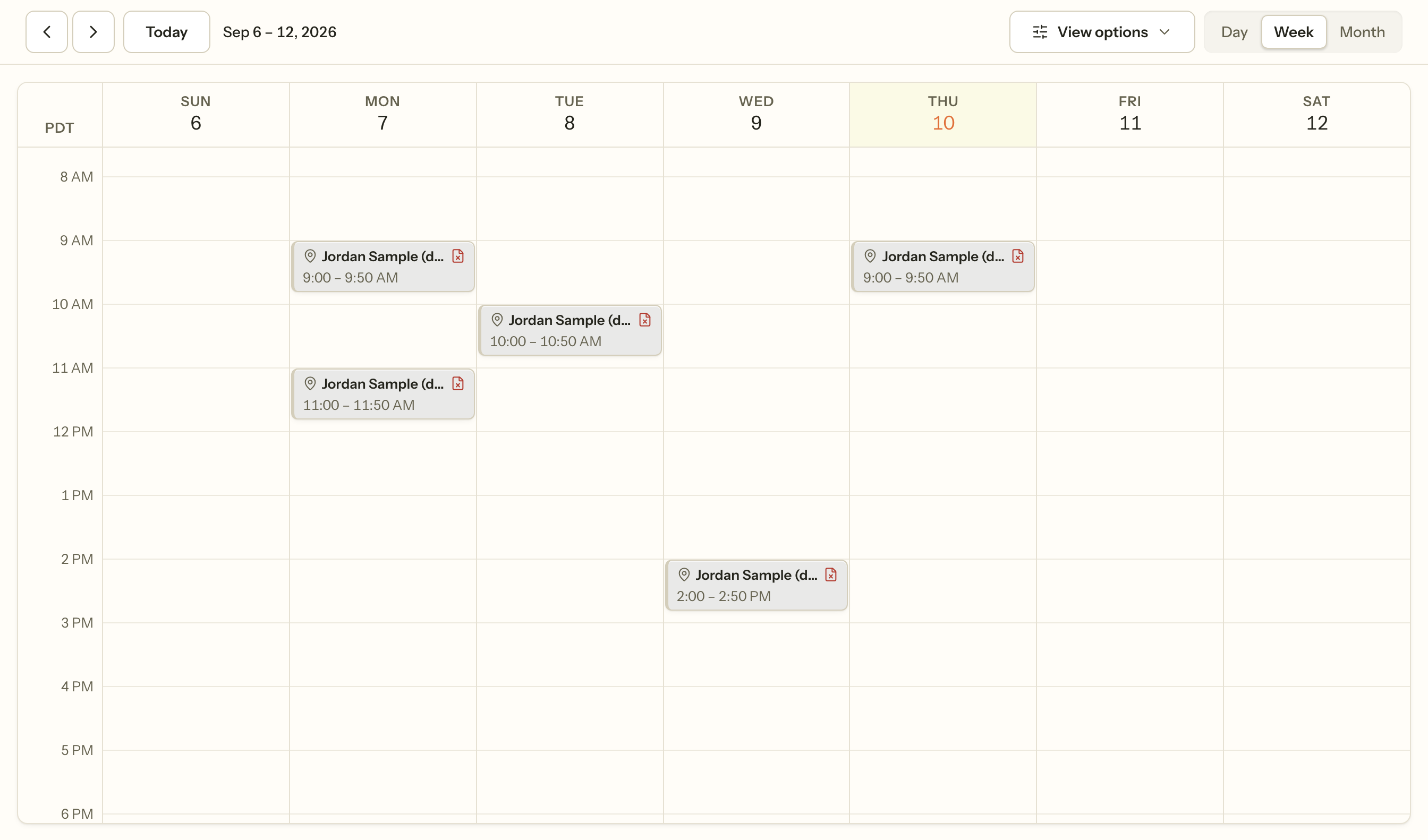
Nothing on this screen is a reminder somebody set. The marker appears because a session finished and no signed note exists — see Notes and documentation.
2. Say when you can be booked
Before anybody can book you, the calendar needs to know your hours. Under Schedule, in the tab strip at the top.
This is a weekly shape, not a list of free slots, and it can legitimately produce nothing — if your bookable hours fall outside the practice's opening times, the overlap is empty. Setting your bookable hours explains why, and how to see what your pattern actually produces.
3. Booking, moving, cancelling
New → New appointment, from the header on any screen. Pick a client, a time and a service.
Moving or cancelling one is where the rules live: whether a cancellation counts as late depends on the notice your practice asks for, and a cancellation the practice makes is never late. You are not asked to decide that in the moment. Cancelling and rescheduling is worth reading once, before you need it.
4. A client's chart
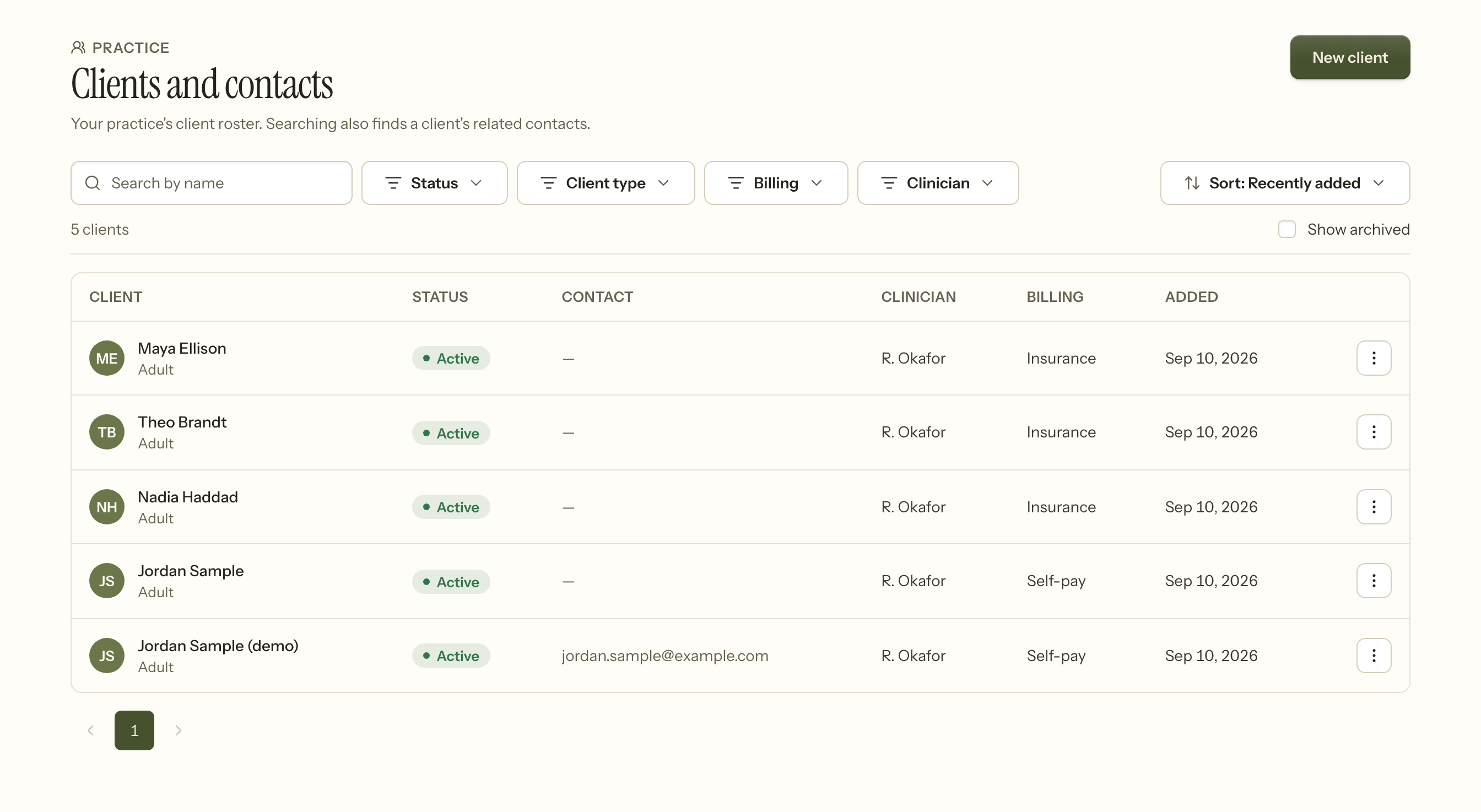
Clients is the roster. Search finds a client's related contacts too, so looking up a parent's name finds the child's record.
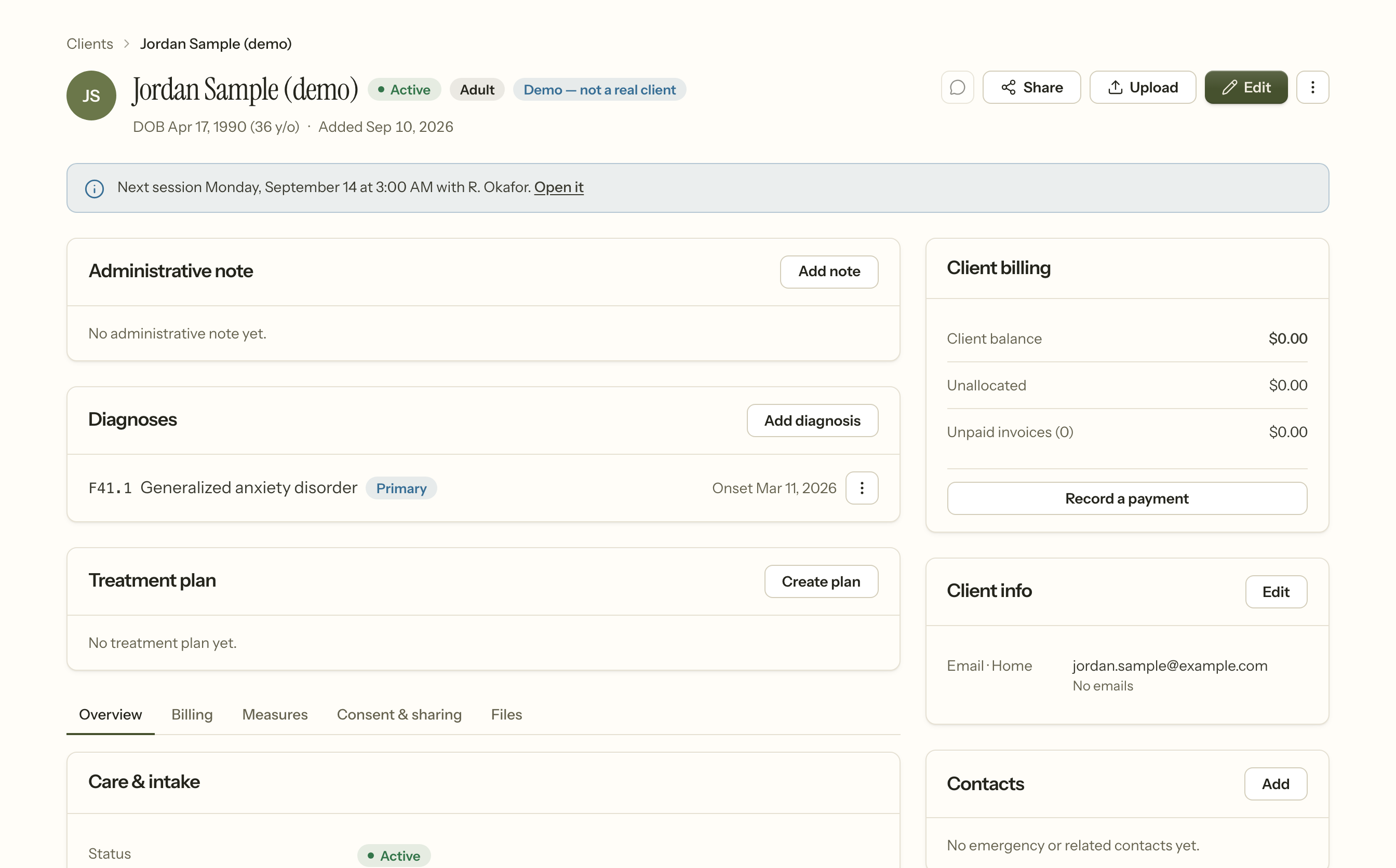
Open one and you get the chart: their details, diagnoses, treatment plan, documents, measures and balance in one place.
You see the clients on your own caseload. A colleague's client is not hidden from you by a filter you could change — the query never returns them.
5. The session, and its note
Open a session from the calendar and everything about it is on one page: the note, the details, what it was billed as, its history, and progress against the treatment plan.
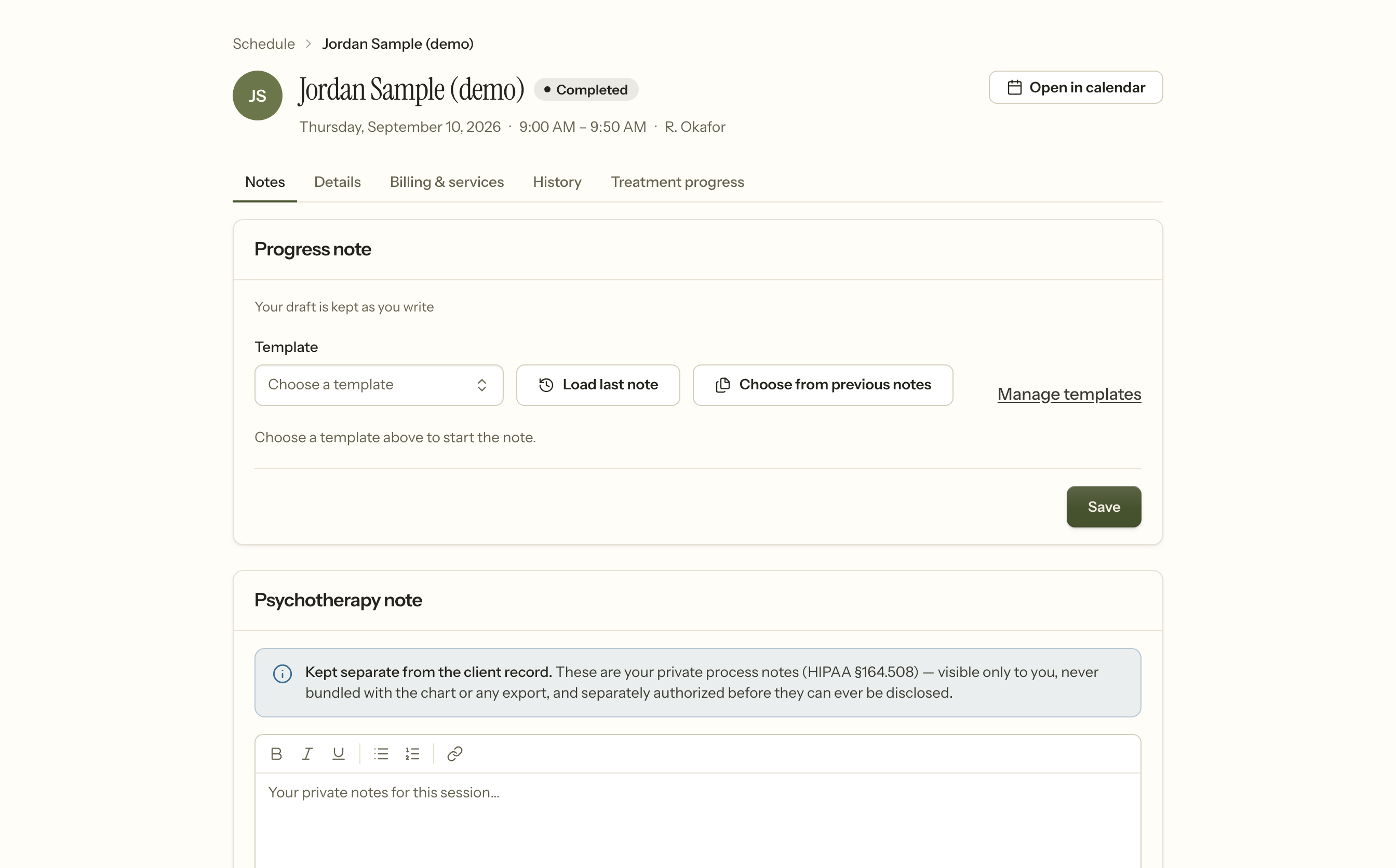
Write the note here. It saves as you type, so a lost connection does not cost you the session.
Signing locks it. After that a correction is an addendum recorded alongside the original rather than a change to it, and the original text stays exactly as it was. That is deliberate: a note that can be quietly rewritten is not evidence of anything. Unlocking is possible, is recorded, and clears the signature — because a signature attests to specific words.
Writing and signing a note walks the form itself.
6. What stays private
The psychotherapy note on that same page is not part of the chart. It is yours: visible only to you, never in an export, and never bundled with the record when it is disclosed. Your practice owner cannot read it either.
Everything else — diagnosis, the plan, symptoms, progress, session times — belongs in the progress note, because those are the parts a client, a payer or a court can ask for. Putting them in the private note does not protect them; it only makes them harder to disclose when you are obliged to. Notes and documentation draws the line properly.
7. Seeing whether it is working
Assign a measure — PHQ-9 and GAD-7 ship with the product — and the client completes it in their portal. You get a score, its band, and two changes: since the last session, and since they started. Those two routinely disagree, and both matter.
If a measure contains a self-harm item, sending it home is off until your practice turns it on and writes down what it does out of hours. When somebody answers one of those items, an alert is raised and recorded before anybody is notified.
8. If you are supervised
A note you sign goes to your supervisor of record for the date of that session — not to whoever supervises you today. A note from March still goes to March's supervisor after a handover, because a co-signature is an attestation about supervision that actually happened.
A supervisor who disagrees sends it back with a reason. They do not edit your words; you revise it yourself.
9. What you cannot do, and why
- Read another clinician's psychotherapy notes. Nobody can, including the owner.
- See clients outside your caseload, unless your practice widened your scope.
- Reach billing or claims on a standard clinical role.
- Delete a signed note. Correction is an addendum. Deleting a record you signed is the one thing an audit cannot forgive.
If you need something in this list, it is a conversation with your practice owner rather than a setting you are missing.