Work through this in order and you will have done everything a front-desk role does here — from somebody's first phone call to a session that is on the books, with the right person, at the right time.
What you can reach
Your dashboard, the schedule, clients, inquiries, messages and tasks.
You will not see notes, billing or claims. What you will see is more than a clinician does in one place: the whole practice's calendar rather than a single caseload, because booking for one clinician means seeing what every other one is doing. Roles and permissions has the whole matrix.
1. The whole practice's week
Schedule opens on everybody, not on one person. A clinician sees their own caseload; you see the practice, which is the only way to answer "who has something at three".
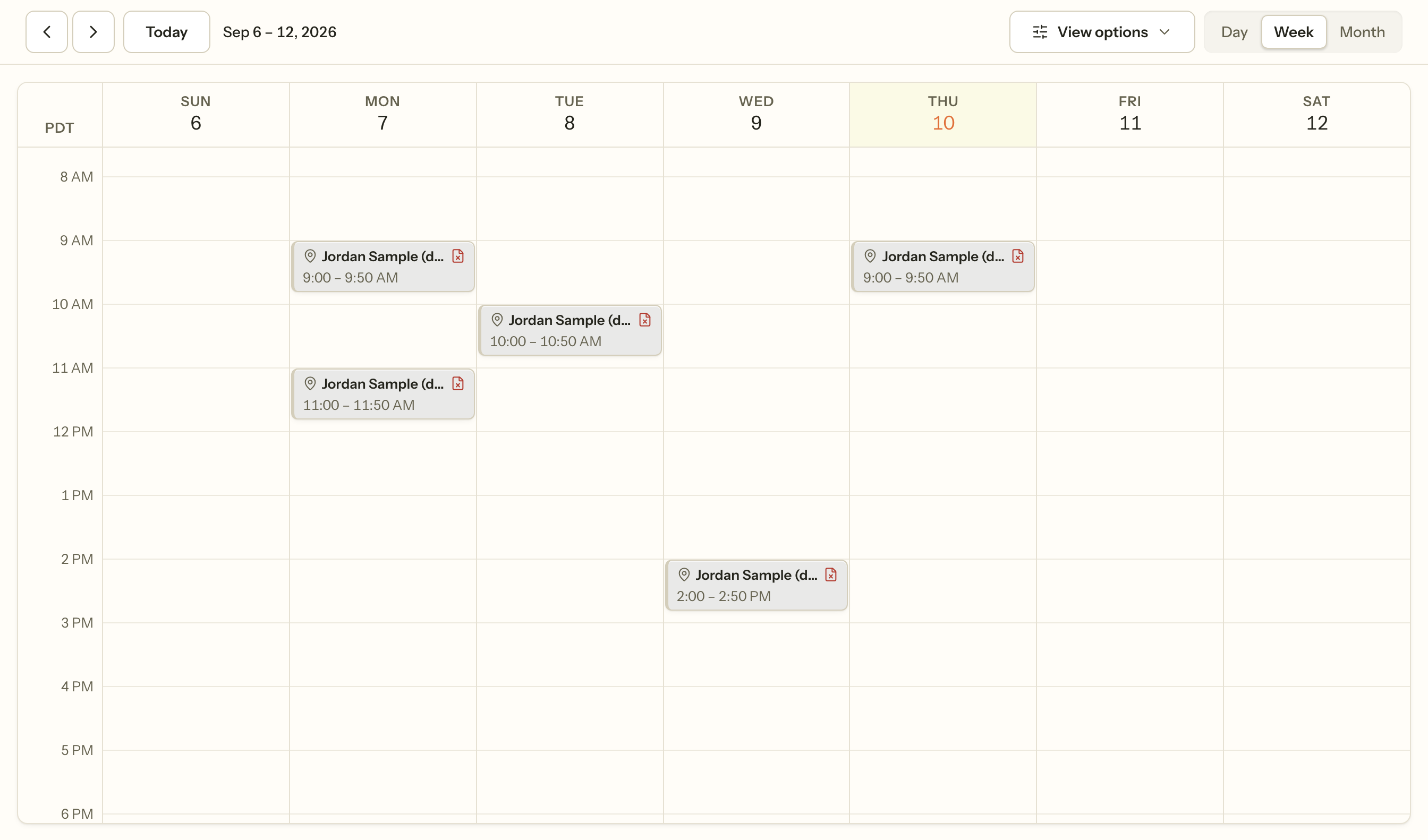
You can also open anybody's bookable hours and block anybody's diary. That is not a privilege that leaked — it is the job. When a clinician calls in sick, somebody has to take Thursday off the market before the requests come in.
2. Somebody who is not a client yet
Inquiries is everybody who has contacted the practice and has no chart: a website form, a portal message, a phone call you took yourself.
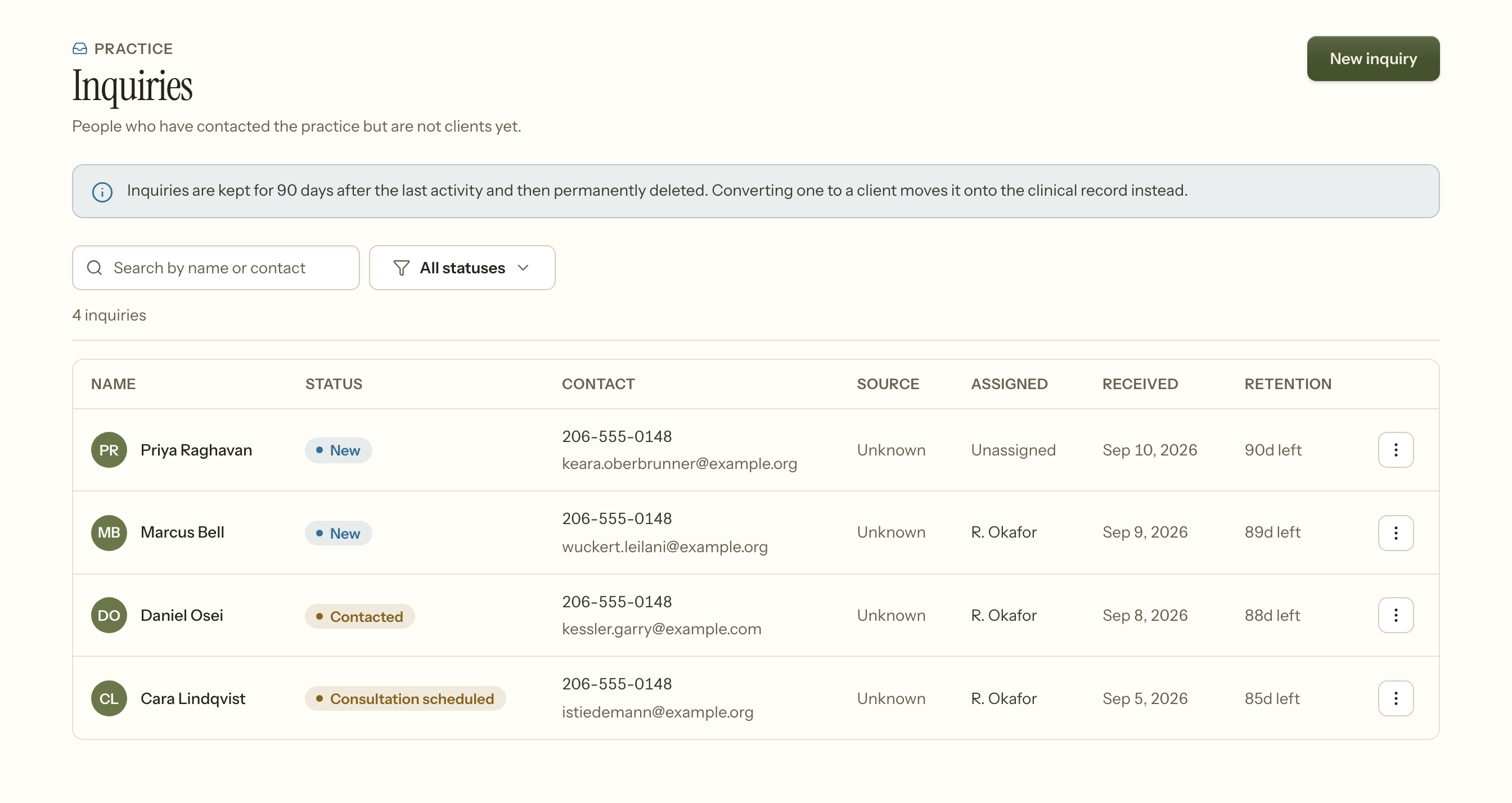
Two things to know before you rely on it.
An inquiry is deleted, not archived. It is kept for ninety days after the last activity and then permanently removed. That is deliberate: somebody who rang once and never called back has not consented to your practice keeping their details forever, and pre-client information is still PHI.
Converting one is what stops the clock. Conversion moves the person onto the clinical record, where retention is the practice's clinical policy rather than ninety days. If somebody is becoming a client, convert them — do not retype them as a new record and leave the inquiry to expire, because that quietly loses where they came from.
3. Booking
New → New appointment, from the header on any screen. Pick a client, a clinician, a time and a service.
You do not have to check for a clash yourself. If the time overlaps something already in that clinician's diary, you are stopped and asked to confirm, and the message names the time of the session you would be sitting on top of.
Note what it does not name: who that other session is with. A double-booking is a scheduling fact; the other client's identity is not something you need in order to pick a different hour.
It asks rather than refuses, because double-booking is sometimes exactly what you mean — an intake squeezed into a supervision hour, two people in one group slot. Save anyway is a real answer. A session that ends at ten does not collide with one that starts at ten; an hour that touches another is not an hour that overlaps it.
If the person is not on the books yet, book them anyway: the drawer will take somebody who has no chart, so a phone call does not have to become a data-entry task before it can become an appointment.
4. When you cannot see them yet
Waitlist, in the tab strip under Schedule. Who is waiting, how long they have been waiting, and who for.
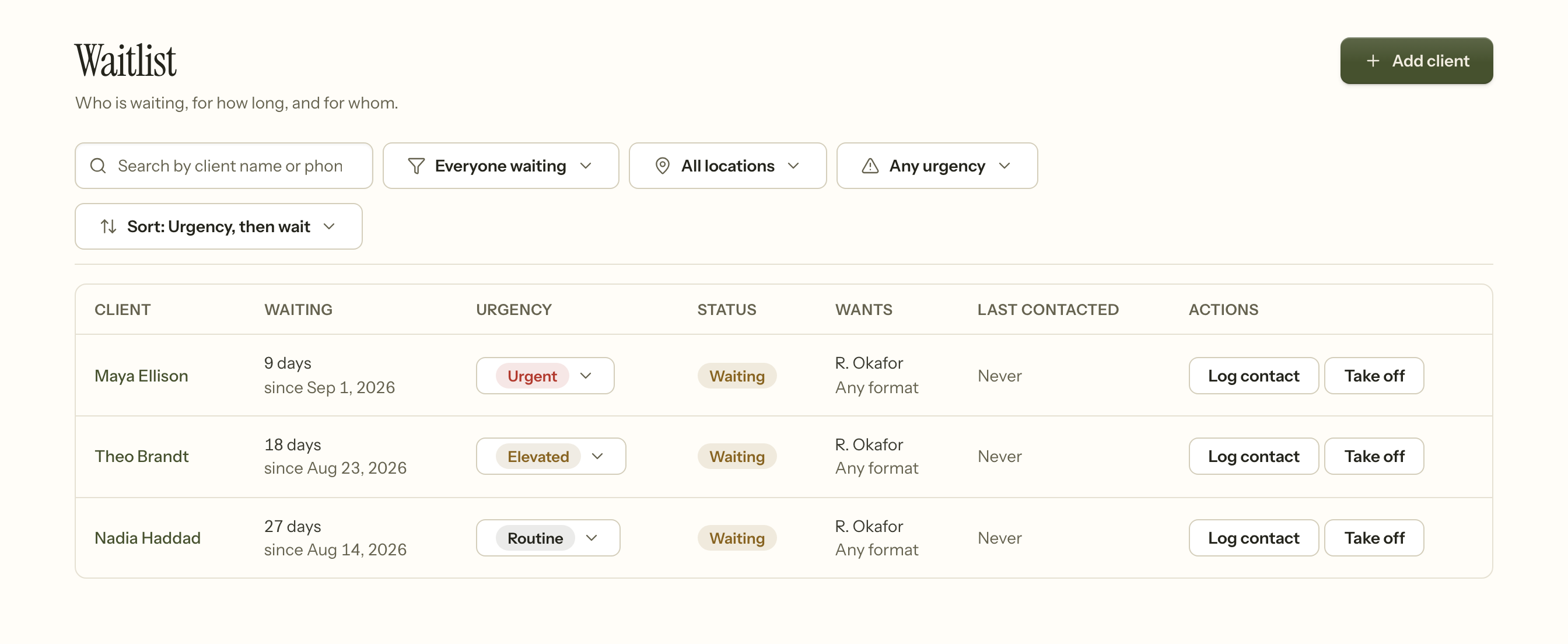
The default sort is urgency and then wait, which is the order the work actually wants to be done in — an urgent person waiting nine days comes before a routine one waiting twenty-seven.
Log contact records that you reached out. That column exists because the honest failure mode of a waiting list is not losing somebody, it is nobody being able to tell whether they were ever called.
5. Moving and cancelling
The rules here are the ones worth reading once before you need them, because they decide whether somebody gets charged.
A cancellation is late if it arrives inside the notice your practice asks for, and timely if it does not. A cancellation the practice makes is never late, whenever it happens. You are not asked to make that judgement in the moment and you should not have to — Cancelling and rescheduling explains what the product decides for you.
6. Adding a client
Clients → New client. Name, contact details, who they will see, and how they are paying.
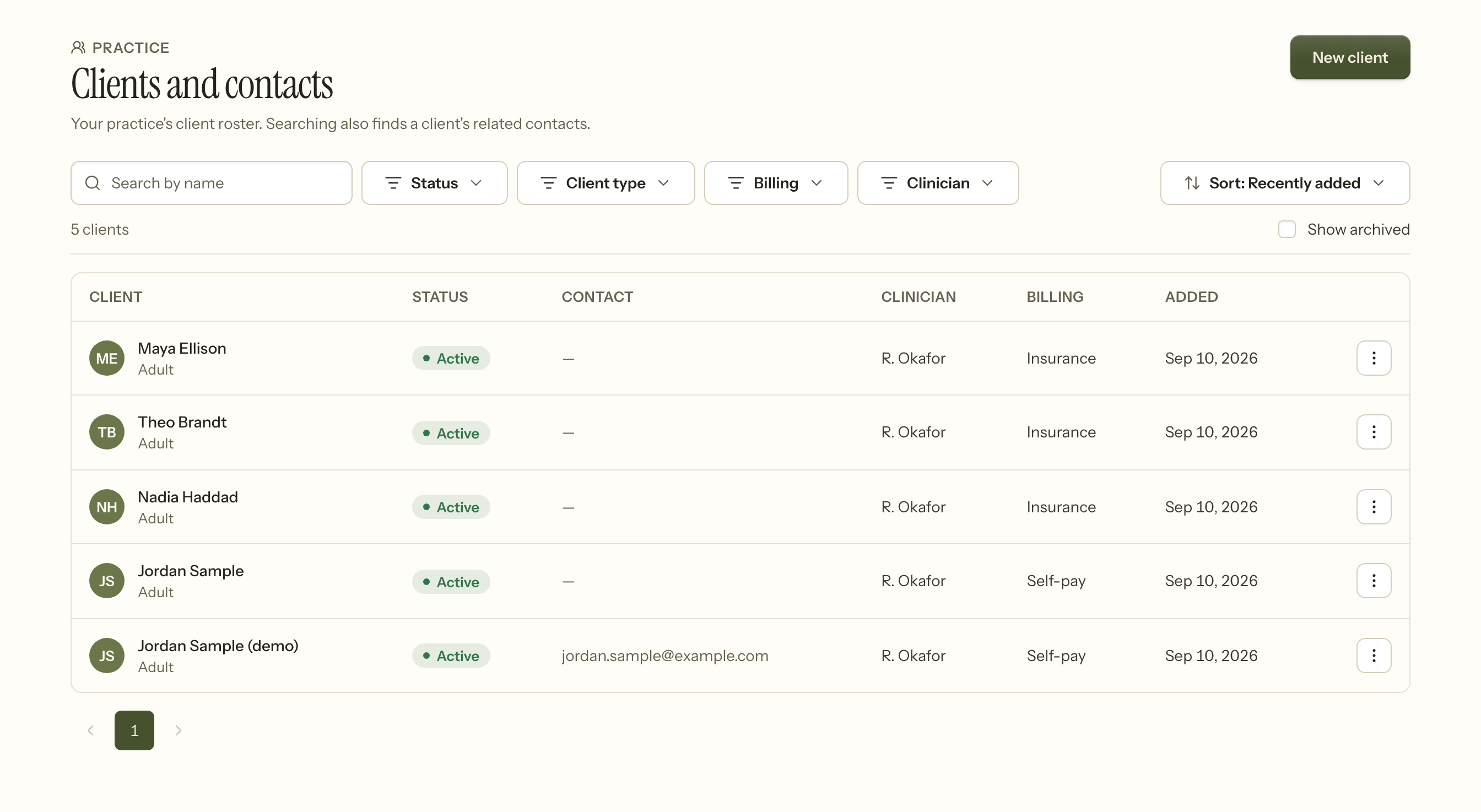
Search finds related contacts too, so a parent's name finds the child's record — useful when the person on the phone is not the person with the chart.
7. The portal invitation
Inviting a client into their portal is yours and the owner's. Clinicians and billers do not do it.
That is a real boundary rather than a division of chores: an invitation creates a login to somebody's health record, so it belongs with the people who confirm identity at the desk.
8. What you cannot do, and why
- Read a progress note. Scheduling somebody does not require knowing what they talked about.
- See a diagnosis or a treatment plan. Same reason.
- See what a session was billed. You can see that a session was missed, which is what you need to reschedule it; the fee attached to it is billing's.
- See the itemised ledger. You do see a client's balance, because taking a payment at the desk needs a total owed — not a list of service lines.
That last pair is the shape of this whole role: enough to do the work at the desk, and not one field more. If you need something in this list, it is a conversation with your practice owner rather than a setting you are missing.