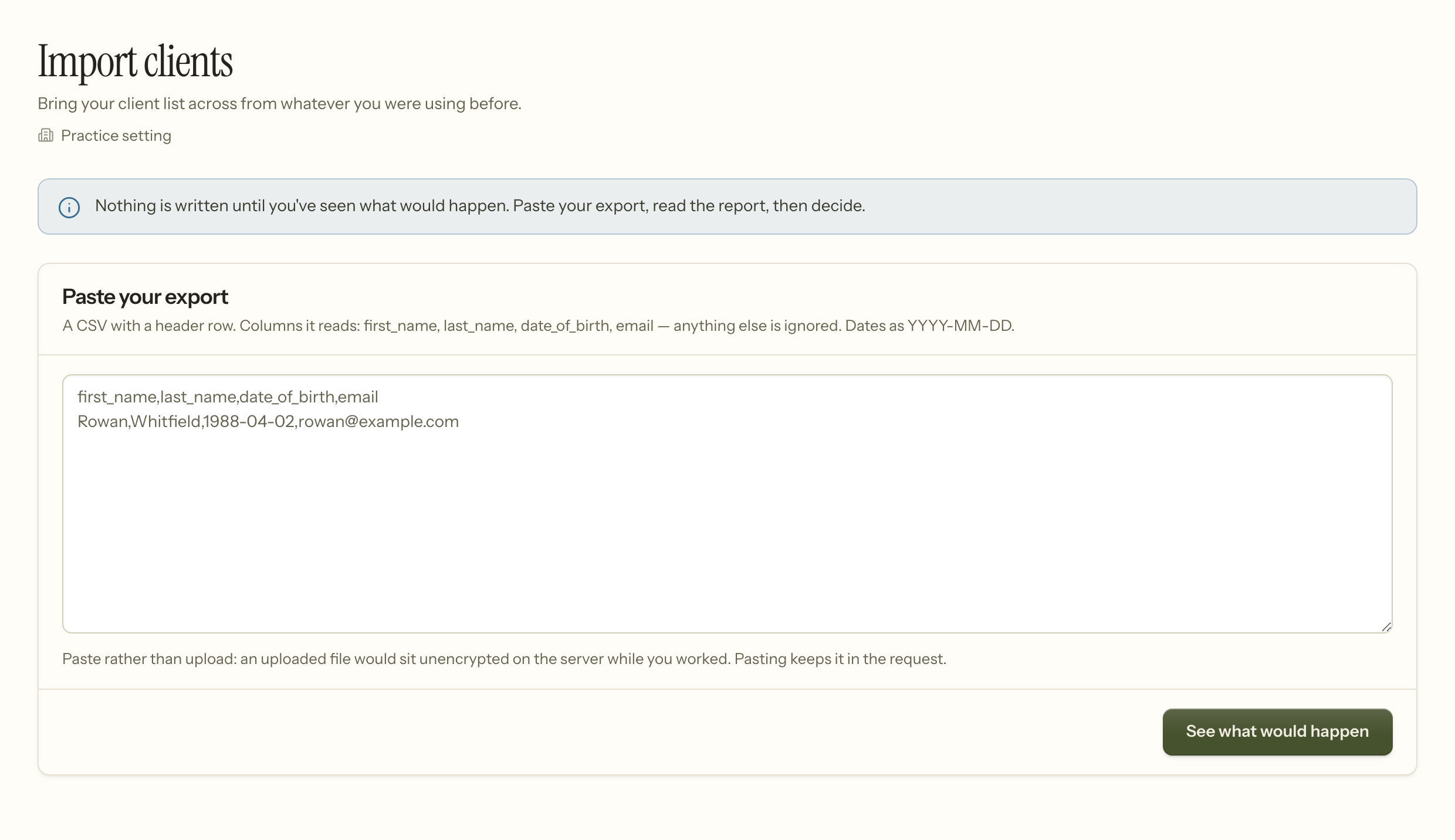
Insight can bring your clients and your diary across from another system. Both work the same way: paste an export, read a report of what would happen, then decide.
Nothing is written until you have seen that report. There is no "import and see what happens" path, deliberately.
Order matters
Import clients first, then appointments. An appointment needs somebody to belong to, and the appointment import will not invent a client from a name on a scheduling export — it will tell you to import your clients first.
Clients
Settings → Import clients. A CSV with a header row. The columns it reads are first_name, last_name, date_of_birth and email; anything else in the file is ignored rather than guessed at. Dates as YYYY-MM-DD.
The report tells you, line by line, one of three things:
- Will be created — a new client.
- Already here — somebody with that name and date of birth already exists. They are left alone. An import is a migration, not a sync: it will never overwrite a chart that already exists here with data from another system.
- Skipped — with the reason. A missing name, or a date nobody can read. A date that cannot be parsed is refused rather than imported blank, because the date of birth is how two people with the same name are told apart later.
Imported clients arrive as prospective and unassigned. Nobody is put on a caseload by an import — you assign them afterwards, deliberately.
Email addresses arrive with permission set to none. Consent to be emailed does not transfer with an export, so nothing is sent to an imported client until somebody here asks them.
Appointments
Settings → Import appointments. Columns: client_first_name, client_last_name, client_date_of_birth, starts_at, ends_at, clinician_email, status. Times as YYYY-MM-DD HH:MM, in your practice's own timezone.
Two rules worth knowing before you export:
- A past appointment needs a status. Marking one "completed" asserts the session happened, and that claim feeds documentation compliance and billing. If your export does not say what happened, the row is refused rather than guessed at. Use
completed,cancelledorno_show. - A future appointment needs nothing. With no status it arrives as scheduled, which is the only thing it can be.
An unknown clinician email is refused rather than dropped, so an appointment never quietly arrives belonging to nobody.
Why paste rather than upload
An uploaded file sits unencrypted on the server while you work. Pasting keeps it in the request. Your export is a list of names and dates of birth, and it should not be lying around on a disk any longer than it has to.
Notes
Clinical notes are not imported. A note signed in another system is that system's legal record, and letting it arrive here as an Insight-signed note would misstate who attested to it and when.
Keep them where they are, or export them as documents and attach them to the chart as files. Either way they stay identifiable as another system's record, which is what they are.
When it goes wrong
Every appointment row was refused. Almost always clients-first. Import your clients, then come back — an appointment cannot belong to somebody who is not here yet.
A client you know is in the file says "already here". Somebody with that name and date of birth exists. That is the guard working. If it is genuinely a different person, one of the two dates of birth is wrong.
Rows skipped for an unreadable date. The format is YYYY-MM-DD for dates and YYYY-MM-DD HH:MM for times. Spreadsheets are enthusiastic about reformatting both — check what is actually in the cell rather than what it displays.
A past session was refused for having no status. Deliberate. "Completed" asserts a session happened, which feeds documentation and billing, so it is not something to guess at. Add completed, cancelled or no_show.
An appointment was refused for an unknown clinician. The email in the file does not match anybody on your team. Add them under Team first, or correct the address — the alternative would be an appointment belonging to nobody.
Nobody is on a caseload afterwards. Imported clients arrive prospective and unassigned on purpose. Assign them deliberately.
Reminders are not going to imported clients. Their email permission is none, because consent does not transfer with an export. Ask them, then set it.
Related
- Getting started — what to set up before importing
- Adding a client — creating records one at a time
- Clients — where imported records land