Your account reaches patient records. This page is about the two things that decide who else can: your password, and whether a stolen password is enough on its own.
Two-factor authentication
Settings › Account › Security.
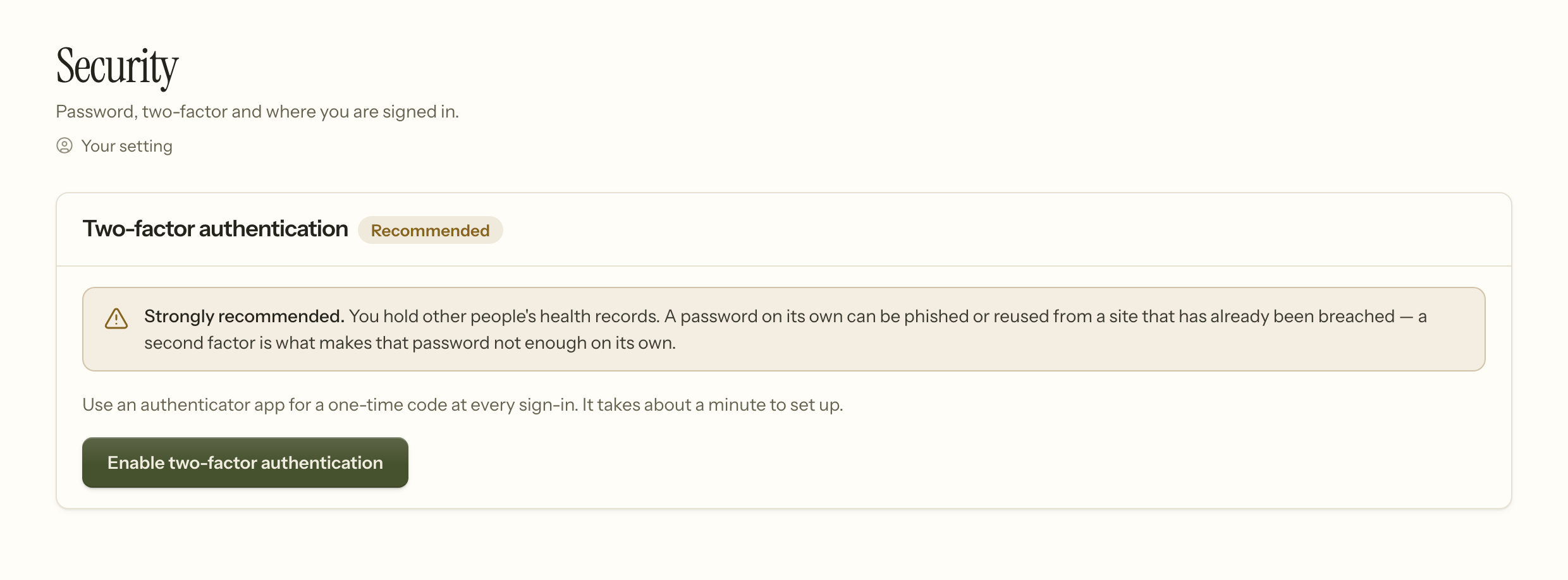
It is optional, and we recommend it to everybody. The page says so, and it is worth being plain about why rather than leaving it as a badge.
A password is one secret, and it travels. It gets reused on a site that is later breached, typed on a shared machine, or handed over to a convincing email. None of that requires you to be careless — it requires you to be busy. Two-factor means the password alone is not enough: a second, changing code from your phone is needed too, and somebody who has your password but not your phone gets nowhere.
For a system holding mental-health records, that is the difference between a bad afternoon and a breach you have to notify people about.
Turning it on
Enable two-factor authentication shows a Setup key — a short block of letters and numbers. In your authenticator app — Google Authenticator, 1Password, Authy, whichever you already use — choose to add an account by entering a key rather than by scanning, and paste it in. There is no QR code to scan yet.
Then type the six-digit code your app shows. That step is not a formality. It proves the app is actually working before anything starts depending on it, which is why two-factor is not switched on until you have entered a code successfully.
Recovery codes — read this part
You are shown eight recovery codes when you enable it. Each one works once, in place of your phone.
Save them somewhere that is not your phone. A password manager, or printed and put where you keep important paperwork. The failure this protects against is losing the phone, so codes stored only on the phone protect against nothing.
They are shown once. If you lose them and still have your phone, turn two-factor off and on again to get a fresh set.
Signing in afterwards
Password first, then a code. If you do not have your phone, choose to use a recovery code instead and enter one of the eight.
After five wrong codes, the app stops accepting attempts for a while. That is deliberate — six digits is a small space to guess, and unlimited guesses would make it worthless.
Passwords
Settings › Account › Security, the first card. Enter your current password, then the new one twice. Knowing the current one is the point: it is what stops somebody who finds an unlocked screen from taking the account.
Changing it also invalidates any "remember me" cookie, so a machine that was signing you in without asking stops doing so. Sessions already open elsewhere keep working until they time out.
Minimum twelve characters, and checked against known breach lists — if a password has appeared in a public breach, Insight will not accept it, however complex it looks.
There is no forced rotation and no rule about symbols and capitals. Both make passwords worse in practice: rotation produces Spring2026! becoming Summer2026!, and composition rules produce something you have to write down. Length and uniqueness are what actually help, so those are what is asked for.
Sessions
You are signed out after a period of inactivity, and signing in again regenerates the session. If you use Insight on a machine other people can reach, sign out rather than closing the tab.
One account each
Never share a login. Beyond the security of it, the audit trail records who opened a record — and a shared account makes that record say nothing. If somebody needs access, add them under Team; if they no longer need it, remove them there.
When it goes wrong
New phone, old authenticator. Sign in with a recovery code, then turn two-factor off and on again to enroll the new phone.
Lost the phone and the recovery codes. An Owner opens Team, uses the actions menu on your row, and chooses Reset two-factor; you then sign in with your password alone and enroll again. Your account is on one factor until you do, so do it the same day. If it was the Owner's own account and they are the only Owner, that is the situation the recovery codes existed for — which is why they belong somewhere outside the phone.
"That code is invalid" and the code looks right. Almost always the clock. Authenticator codes are time-based, so a phone whose clock has drifted generates codes that are correct for the wrong moment. Turn on automatic time in the phone's settings.
Too many attempts. Wait a few minutes. The lockout clears on its own; nothing is broken.
A password is refused as breached. It has appeared in a public breach somewhere, which means it is in the lists attackers try first. Pick another — and if you use it elsewhere, change it there too.
Related
- Getting started — the order to set the practice up in
- Client portal — clients have their own separate sign-in